Blog
How to Make UGC Ads: A Founder's Low-Budget Playbook
Published June 4, 2026
You've got a product page, a Shopify theme that looks decent, and a small Meta budget you can't afford to waste. The problem isn't usually campaign setup. It's creative. Most first-time founders don't lose because Ads Manager is too hard. They lose because their ad looks like an ad.
That's where UGC-style creative changes the game. If you're trying to figure out how to make UGC for your own brand, you don't need a creator marketplace, a studio, or a polished brand film. You need a believable angle, a phone, decent light, and a simple workflow that turns your product into a story a stranger will actually watch.
This is the founder version of UGC. Not influencer outreach. Not creator management. Not Roblox asset tutorials or anything involving Blender. Just a practical way to make your first ad creative in-house and give it a real chance to convert.
Table of Contents
- Why UGC-Style Ads Are a Founder's Secret Weapon
- The One-Page Brief for High-Impact UGC Ads
- Your Scrappy Founder's Filming Setup
- Editing That Converts with Simple Templates
- Launching and Testing Your First UGC Creatives
- From a Single Ad to a Sustainable Content Engine
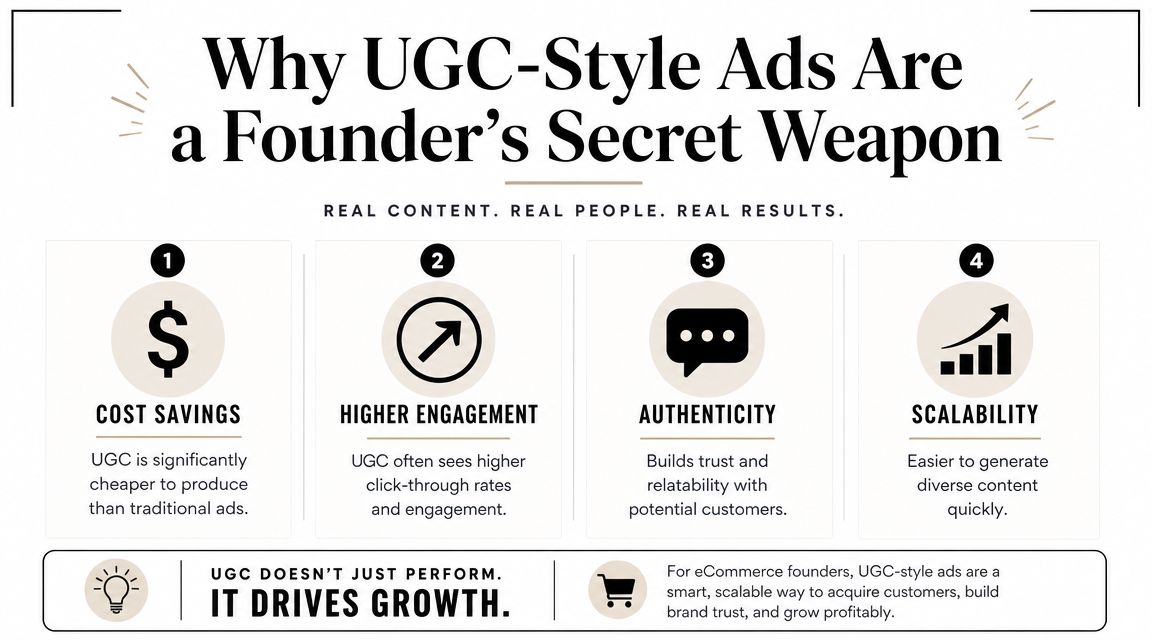
Why UGC-Style Ads Are a Founder's Secret Weapon
Founders usually start with the wrong benchmark. They think they're competing with brands that have better cameras, bigger teams, and polished production. On Meta, that often works against you. A clean, relatable, low-friction video can do a better job than something that looks like it came from a studio.
The reason is simple. UGC works like proof, not just promotion. Buyers don't need another brand promise. They need to see someone use the product, react to it, explain it plainly, and answer the silent objections in their head.
79% of consumers say user-generated content influences their buying decisions, and UGC-based ads have been shown to achieve 4x higher click-through rates than brand-made creative according to Backlinko's UGC statistics roundup. For a founder with limited budget, that matters because better click quality gives your first tests more room to work.
What UGC-style means in this guide
UGC-style ads are not the same thing as waiting for customers to post about you. They're also not the same thing as hiring a paid UGC creator. In practice, for a new store, it means you make ad creative that feels native to social feeds:
- Real-person delivery instead of brand voiceover
- Simple product demo instead of cinematic montage
- Specific problem-solution framing instead of vague branding
- Visible product handling instead of abstract lifestyle footage
Practical rule: If the video looks expensive, heavily scripted, or too “brand safe,” it usually gets less believable.
There's another reason to be clear about the term. Some people searching how to make UGC land on technical tutorials about gaming assets, 3D modeling, or marketplace publishing. That's a different workflow entirely. Social ad UGC is much simpler. You're not building geometry or passing moderation on a digital item. You're making a short sales story that earns attention fast.
Why founders have an edge
A founder often makes better first UGC than a hired creator because the founder knows the product's weak spots. You know what customers ask before they buy. You know what people misunderstand. You know what feels too good to be true.
That gives you an unfair advantage in three places:
| Focus area | What founders usually know better | Why it helps |
|---|---|---|
| Objections | What buyers hesitate over | Stronger hooks and clearer proof |
| Use case | How the product fits daily life | Better demos, less fluff |
| Offer | What makes the purchase worth it | Cleaner CTA and positioning |
If you treat UGC as “cheap content,” it'll look cheap. If you treat it as a way to package trust, it becomes one of the strongest creative formats available to a new ecommerce brand.
The One-Page Brief for High-Impact UGC Ads
Most bad UGC starts before the camera turns on. The founder grabs the phone, says a few nice things about the product, adds captions in CapCut, and hopes the edit saves it. It usually doesn't.
A stronger process starts with a short brief. Not a formal agency document. One page. One angle. One person you're talking to.
Near the start of the workflow, it helps to organize the core inputs in one place.
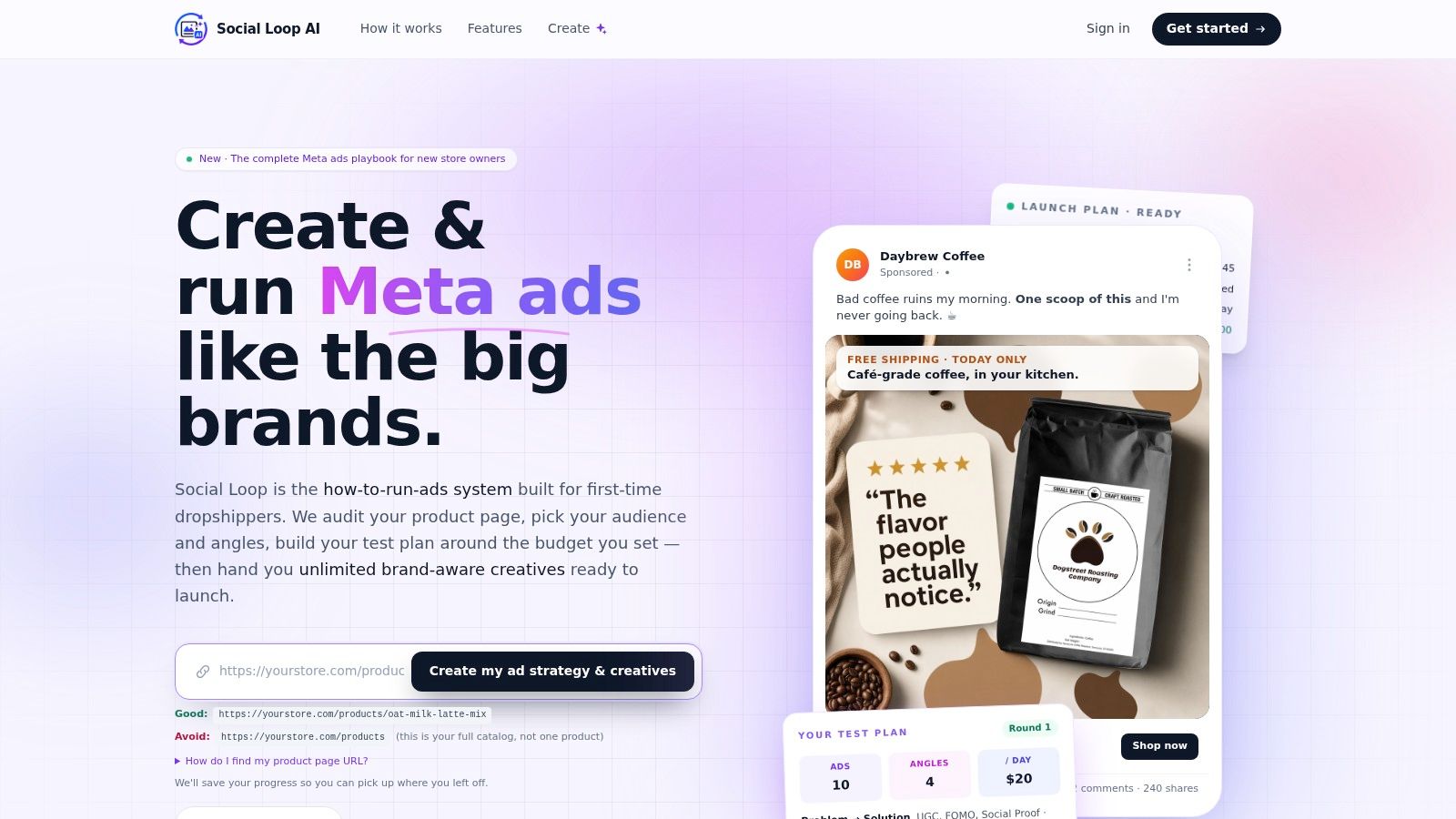
A practical UGC workflow used by creator educators is to input product details first, choose an angle like product-in-hand, and generate a script structure before editing. That front-loads context and prevents the common beginner mistake of trying to edit around a weak premise, as shown in this UGC workflow video tutorial.
Start with one buyer and one pain point
The brief falls apart when you try to speak to everyone. Pick one buyer segment and one urgent friction point.
If you sell posture correctors, don't brief “people with back pain.” Brief “desk workers who feel stiff by mid-afternoon.” If you sell a skincare tool, don't brief “women interested in beauty.” Brief “buyers frustrated that their routine is expensive and inconsistent.”
That level of specificity gives you a believable opening line. It also stops you from making generic claims that sound like copy, not conversation.
Talk to one person with one problem. Broad targeting can still happen in Meta. Broad messaging usually fails in the ad itself.
Use a simple fill-in-the-blanks brief
Keep the brief short enough that you'll use it. This template works well for first-time founders:
-
Product
Name the product and the exact use case. -
Buyer
Describe the person in plain language. What are they dealing with today? -
Problem
What's bothering them enough to click? -
Angle
Choose one. Problem/solution, social proof, reaction, comparison, routine, or before/after framing. -
Proof
What can you show on camera that makes the claim believable? -
Hook options
Write several opening lines before filming. -
CTA
Say exactly what the viewer should do next.
If you want help structuring the message itself, this guide on how to write ad copy is useful because it forces the ad to line up with the buyer's objection instead of drifting into filler.
Build hooks before you film
Hook writing is where most of the performance lives. Your first seconds need tension, curiosity, or recognition. They don't need polish.
A weak hook sounds like this: “Hi guys, I want to show you this amazing product.”
A better hook sounds like this:
-
Objection-led
“I thought this would be another product I'd use once and forget.” -
Problem-led
“If your lower back starts hurting halfway through the workday, watch this.” -
Comparison-led
“This fixed the part of my routine that expensive products didn't.”
After you have hooks, sketch a basic visual sequence. You don't need a storyboard. Just note what the viewer should see while each line plays.
Here's a simple pattern:
- Open on face or product immediately
- State the problem
- Show the product in use
- Show one clear result or reaction
- Close with a direct next step
Once you've mapped that, filming gets easier because each shot has a job.
Later in the process, it helps to watch one concrete example of a simple ad assembly flow.
Your Scrappy Founder's Filming Setup
The camera is rarely the reason a UGC ad loses. Bad light, muddy audio, and awkward framing are the usual problems. The good news is that all three are fixable without turning your office into a studio.
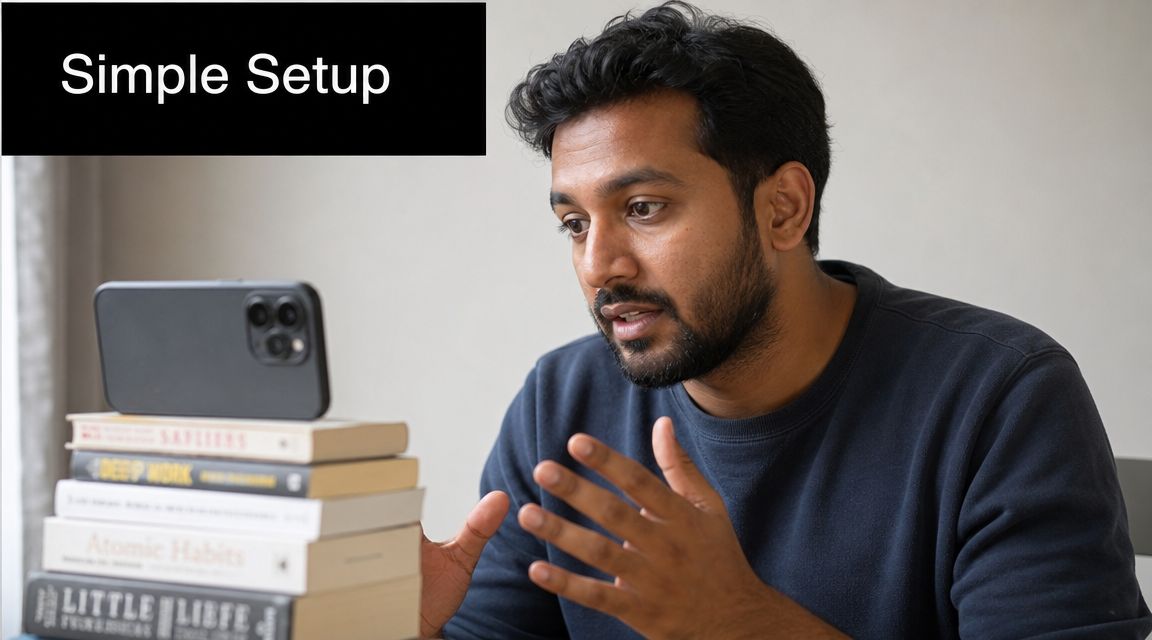
The phone you already own is enough to start. What matters is whether the footage feels clear, immediate, and easy to follow on a small screen.
What matters on camera
Natural window light beats bad artificial light almost every time. Face the window. Don't stand with the window behind you unless you want to look like a silhouette. If the light is harsh, use a thin curtain or move slightly off direct sun.
Audio matters more than founders expect. Viewers will tolerate footage that feels casual. They won't tolerate dialogue they can't understand. Film in the quietest room you have, turn off fans if possible, and keep the phone closer than feels necessary.
The other overlooked piece is framing. Keep the product in reach. If you're doing product-in-hand UGC, your hands and the item should enter frame fast. Don't spend the first seconds adjusting your shirt, looking off-screen, or reaching down to pick something up.
Good UGC doesn't need high production. It needs low friction.
A cheap setup that still looks credible
You don't need a giant shopping list. Start with a few basics:
-
Phone support
A simple tripod and phone mount stop the handheld wobble that makes footage feel accidental. -
Light backup
If your room has inconsistent daylight, add a small ring light or LED panel. Use it to fill shadows, not to blast your face. -
Mic option
A basic lavalier mic helps if your room echoes. If you don't have one yet, move closer to the phone and record in short takes. -
DIY support
Books, boxes, and a windowsill are fine. Stability matters more than gear aesthetics.
There's a useful lesson here from another corner of UGC. Tutorials about making digital assets increasingly focus on packaging, presentation, and brandability, not just technical completion, as discussed in this video on making UGC more sellable. The same principle applies to ad creative. Clean presentation beats raw effort. “I made the video” isn't enough. The ad has to look usable and believable.
A small table helps separate what to fix first.
| If your video feels weak | Check this first | Usually not the problem |
|---|---|---|
| Hard to watch | Lighting direction | Phone model |
| Hard to trust | Messy framing, clutter | Fancy transitions |
| Hard to follow | Audio clarity | Background decor |
Founders often overcorrect and try to make the ad look premium. That usually strips out the feed-native feel that makes UGC work. Aim for clean, not polished. There's a difference.
Editing That Converts with Simple Templates
Editing is where founders either sharpen the message or bury it. The simple version wins more often. You're not trying to impress another editor. You're trying to keep a cold viewer from scrolling.
This part is much easier than technical UGC pipelines in other categories. Some tutorials about “making UGC” focus on Blender, FBX export, and Roblox Studio workflows, but social ad content is a storytelling job, not a 3D production pipeline, as shown in this Roblox UGC creation walkthrough.
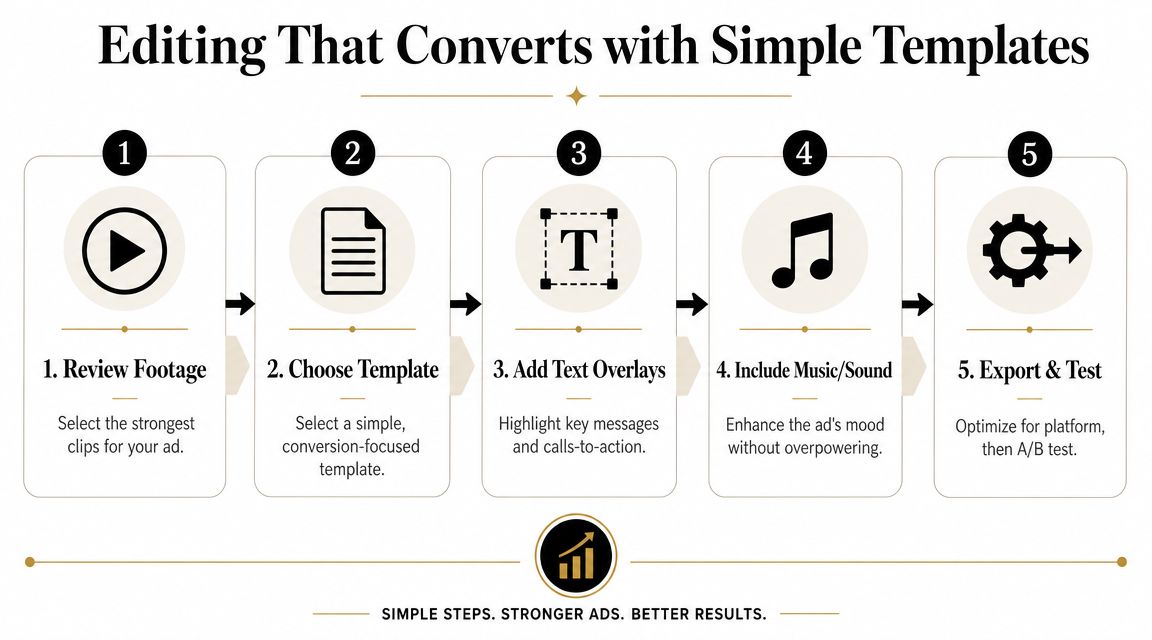
A founder-friendly edit structure
CapCut is the easiest place to start for most founders because it's fast, mobile-friendly, and good enough for paid social. The main job is trimming hard and keeping the narrative obvious.
Use this structure:
-
Hook
Open on the strongest line and strongest visual. Don't fade in. Don't add a logo screen. -
Problem or demo
Show the frustration, need, or use case quickly. At this point, the buyer decides whether the video is relevant. -
Product moment
Put the item on screen in action. Hands, texture, motion, and result matter more than decoration. -
Proof beat
Add one believable reason to continue. A reaction, a close-up, a routine shot, or a clear practical benefit. -
CTA
End plainly. Shop now. Try it today. See the product page. Don't get cute here.
If you want examples of how different brands structure this kind of creative, looking through a set of UGC ad examples can help you spot repeatable patterns without copying the exact wording.
What to add and what to leave out
Most founder edits improve when they remove things, not when they add them.
Keep these:
-
On-screen text
Add captions or short supporting lines because many viewers watch with low sound or no sound. -
Tight cuts
Remove pauses, breathy intros, and any clip that repeats the same point. -
Vertical framing
Edit in 9:16 so the video fits Reels and Stories naturally.
Use caution with these:
-
Background music
Music can help pacing, but it should never overpower the voice. Low volume wins. -
Templates
Good templates speed up editing. Bad templates make every ad look like the same generic TikTok remix. -
Transitions
Hard cuts usually perform better than effects-heavy edits for this style.
If the viewer can understand the ad with the sound off and still feel the product with the sound on, you're close.
A quick self-check before export helps:
| Editing question | If yes | If no |
|---|---|---|
| Is the first line specific? | Keep testing hooks | Rewrite the opening |
| Can the product be seen early? | Move to caption pass | Cut dead space |
| Does each clip add new information? | Export variation | Trim harder |
The mistake I see most often is founders trying to “save” weak footage with animation, punch-ins, and fancy text timing. Simple editing can improve a good angle. It can't rescue an unclear message.
Launching and Testing Your First UGC Creatives
A lot of beginners overcomplicate testing before they've even made a decent batch of ads. They build elaborate A/B test trees, split audiences too early, and spend more time naming experiments than learning from them.
A better approach is to run creative rounds. Launch a small set of UGC variations, watch how buyers respond, then make the next batch based on what transpired. That's much closer to how good DTC teams work when budgets are tight.
The category is growing because brands need a steady supply of authentic creative for performance channels. One market forecast cited in a UGC roundup projects the global UGC market could reach USD 8.48 billion in 2026 with a 28.8% CAGR, according to Showcase's UGC statistics roundup. The useful takeaway for a founder isn't the forecast itself. It's what sits underneath it. Creative volume and refresh rate now matter.
Run rounds, not overbuilt experiments
For your first launch, keep the variables simple. Test a few different creatives that attack the same product from different angles. Don't change everything at once.
A clean first round usually looks like this:
- Variation one uses a problem-solution angle
- Variation two uses a product-in-hand demo
- Variation three uses a reaction or social-proof style frame
That's enough to learn whether the buyer responds more to pain, demonstration, or credibility.
If you want a more structured way to think about this process, this guide to multivariate testing for ads is useful once you're past the very first round and ready to isolate more than one creative variable at a time.
Read the ad like a buyer would
Metrics matter, but not in isolation. A founder should read performance through the lens of buyer behavior.
If click-through is weak, the hook probably isn't earning attention or relevance. If clicks are fine but purchases lag, the ad may be attracting the wrong curiosity or making a promise the product page doesn't cash in. If one video gets better downstream behavior, inspect what it handled better. Did it answer a common objection? Show the product sooner? Feel more credible?
Here's a practical review lens:
- Good click quality often comes from a sharper hook and clearer audience match.
- Poor post-click behavior often points to mismatch between ad promise and landing page.
- A surprisingly strong ad usually has one simple thing going for it. Better first line, stronger demo, or more believable delivery.
Don't ask, “Which ad won?” Ask, “What did this winner make easier for the buyer to believe?”
Pause the obvious laggards. Keep the creative that earns attention and intent. Then make the next round by changing one major element at a time, usually the hook, angle, or opening visual.
That loop is the core skill. Not launching one perfect ad. Building the judgment to make each next version better.
From a Single Ad to a Sustainable Content Engine
One founder video can do more work than is often realized. If you shoot with repurposing in mind, one session gives you paid social creative, product page proof, email assets, organic posts, and retargeting material.
That's the shift that matters. Stop thinking in terms of one ad. Start thinking in terms of one recording session producing a small asset library.
Turn one shoot into multiple assets
A single UGC-style video can become several useful pieces:
-
Shorter paid versions
Cut the original into tighter hook-first variants for cold traffic. -
Static frames
Pull a clean product-in-hand moment and use it as an image ad. -
Product page support
Embed the best demo clip or testimonial-style segment near buying decisions. -
Email and retargeting content
Reuse a proof-heavy snippet for follow-up sequences.
The key is to film more than one opening, more than one close-up, and at least a couple of alternate CTAs while you're already set up. That gives you options later without needing a full reshoot.
Build a library, not a one-off
A useful content engine is small at first. You don't need dozens of polished concepts. You need an organized folder of hooks, angles, demos, reactions, and proof moments you can reuse.
Label assets by what they do. “Strong hook for tired parents.” “Demo with good texture close-up.” “Founder talking to camera with clear objection handling.” That system makes future creative faster because you stop starting from zero every time.
The founders who get good at how to make UGC don't just learn filming or editing. They learn how to capture reusable trust. That becomes a business asset. It improves ad testing, sharpens messaging, and gives the store more believable proof across the funnel.
If you want a faster way to turn a product URL into UGC-style angles, ad concepts, and a practical launch plan, Social Loop AI is built for first-time ecommerce owners who need structure without hiring an agency.