Blog
Easy Instagram Ad Create: Your 2026 Guide
Published May 29, 2026
You've got a product page, a few decent photos, and a strong suspicion that Instagram should be one of your first paid channels. Then you open Meta Ads Manager and it feels like you've stepped into airplane controls. Campaign objective. Ad set. placements. attribution. Advantage settings. Budget schedule. Half the battle is figuring out what matters for a first launch and what you can ignore for now.
That confusion is normal. Instagram isn't a side channel anymore. By January 2024, almost 80% of marketing professionals reported integrating Instagram into their digital marketing campaigns, and its ad tools can reach an estimated 1.91 billion users worldwide, according to Statista's Instagram marketing overview. That matters because you're not learning some niche growth trick. You're learning how to operate inside a mature ad platform where small brands compete by matching the right message to the right buyer.
For a new ecommerce founder, that's good news. You don't need to outspend bigger brands. You need a clean setup, a sensible first campaign, and creative that earns attention on a phone screen.
Table of Contents
- Your First Instagram Ad Awaits
- Preparing Your Accounts for Advertising
- Building Your Campaign Blueprint in Ads Manager
- Designing Ad Creative That Captures Attention
- Launching and Optimizing Your First Campaign
- Accelerate Your Ads with Social Loop AI
Your First Instagram Ad Awaits
The first Instagram ad usually doesn't fail because the founder lacks ambition. It fails because the founder tries to solve everything at once. They worry about targeting, design, copy, budget, landing page quality, and whether the ad should be a Reel or a Story before they've even built the campaign shell.
A better way to think about Instagram ad create is this. You're not making “an ad.” You're building a small decision system. The campaign tells Meta what outcome matters. The audience tells Meta who should see the message first. The creative tells the buyer why they should care. If one of those pieces is weak, the whole thing drifts.
Practical rule: Your first launch should feel controlled, not ambitious.
That's especially true for ecommerce. A lot of beginners assume access is the advantage. It isn't. Instagram already has the scale. What separates a useful launch from a wasteful one is whether your ad makes sense for the person seeing it.
Here's what good first-launch thinking looks like:
- Start with one product: Don't advertise your whole catalog. Pick the item with the clearest use case.
- Use one buyer problem: Lead with one pain point, one desire, or one outcome.
- Build one clean path: Ad to product page to purchase. No detours, no mixed messaging.
- Expect testing, not perfection: Your first campaign is supposed to teach you what angle gets attention.
Founders who do well on Instagram early usually simplify harder than they think they need to. They don't chase every feature in Ads Manager. They get the basics right, publish, and let the first round of data tell them where to improve.
Preparing Your Accounts for Advertising
Before you touch budgets or creatives, get the account structure right. This is the part most new advertisers try to rush past, then they lose time later because permissions are broken, billing isn't connected, or the wrong Instagram profile is attached.
The three assets you need before launch
You need a Facebook Page, an Instagram professional account, and a Meta ad account. Those are the core pieces that let you run ads in a professional workflow instead of relying only on boosted posts.
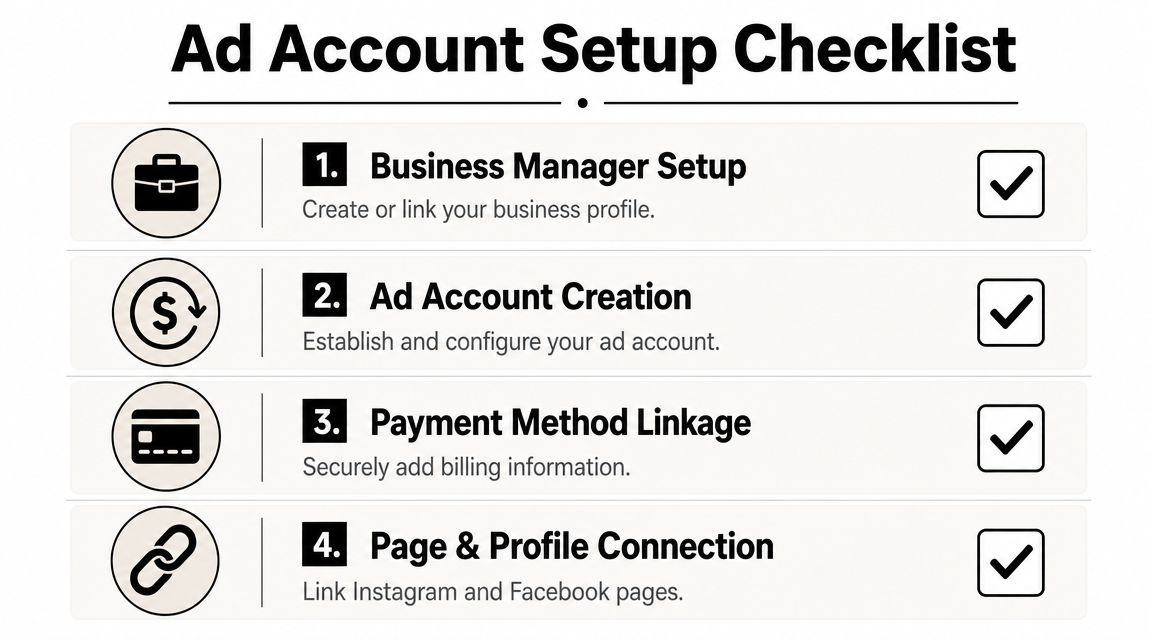
Each piece has a job:
- Facebook Page: This acts as a business asset inside Meta. Even if your brand lives mostly on Instagram, the Page helps with ownership, permissions, and ad identity.
- Instagram Business or Creator profile: A personal profile limits what you can do. A professional profile gives you the connection layer needed for ads, analytics, and account management.
- Meta ad account: This account houses campaigns, billing, audiences, and ads.
If you're launching for a brand, not for a personal side account, set this up under the business you intend to keep. Don't build everything under a random personal profile and promise yourself you'll “clean it up later.” Later usually arrives after the first issue with access or payment.
What beginners usually miss
A clean setup is less about clicking the right buttons and more about avoiding future friction.
Use this checklist before launch:
-
Create or claim the business assets
Make sure your Facebook Page exists and represents the brand name customers will recognize. If the brand name, logo, and Instagram handle don't match closely enough, the account can feel less trustworthy to buyers.
-
Switch Instagram to a professional profile
This enables the business features tied to advertising. If you're selling products, this step isn't optional.
-
Connect the Instagram account to the Facebook Page
This is the link that makes delivery and identity easier to manage inside Meta. If the connection is missing, you can end up troubleshooting basic publishing issues right when you want to launch.
-
Create the ad account and add payment
Add a valid payment method before campaign day. Founders often leave billing until the end, then the launch stalls on the easiest fix in the whole process.
Clean account structure doesn't make ads profitable by itself. It prevents dumb problems from blocking a good test.
One more practical point. Boosting a post can be useful for simple experiments, but it's not the same as building in Ads Manager. If you want control over campaign objective, audience logic, placements, and scaling decisions, you need the full ad account workflow.
Building Your Campaign Blueprint in Ads Manager
Inside Ads Manager, beginners tend to jump straight to the ad mockup. That's backwards. Meta's standard workflow is to create a campaign, choose an objective, set a budget, define the audience, and then upload creative, as outlined in Hootsuite's guide to Instagram ads. That order matters because delivery is optimized around the objective and audience you define before the creative goes live.
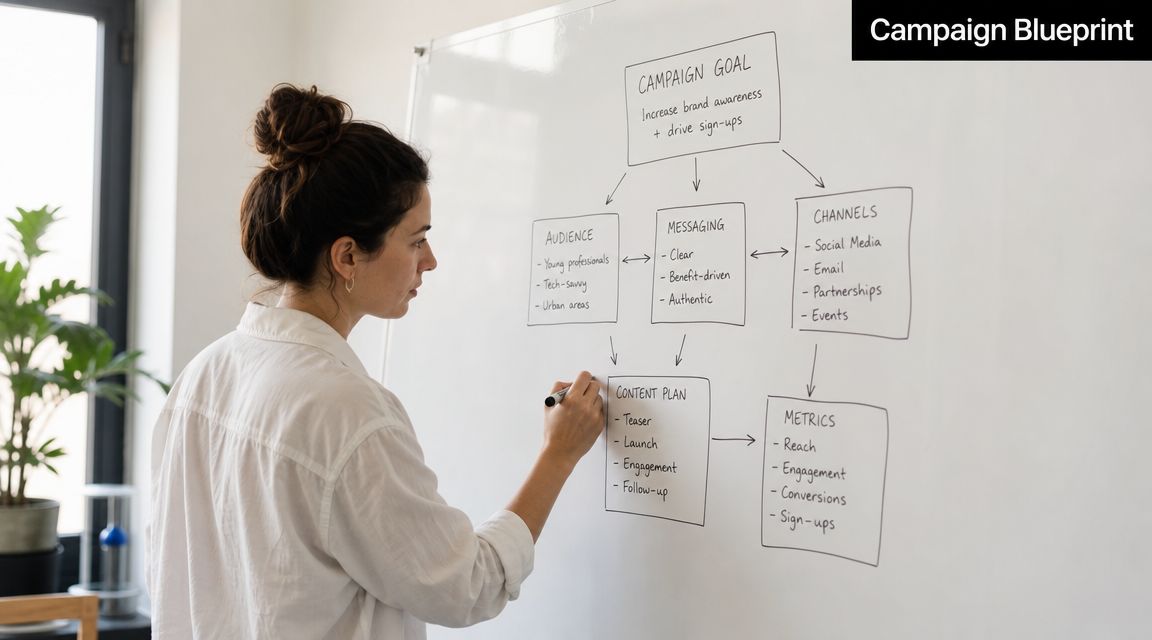
Pick the objective before you think about creative
For a first ecommerce launch, the objective should match what your store is realistically ready to do.
A simple way to decide:
| Store situation | Better first objective | Why |
|---|---|---|
| New store, unsure if product page converts | Traffic | You learn whether people click and engage with the offer |
| Store has a solid product page and checkout flow | Sales | Meta can optimize more directly toward purchase behavior |
| Product needs explanation before purchase | Traffic | You may need to validate message-market fit first |
If you choose Sales too early with a weak page, the campaign can struggle because Meta is trying to find buyers for an offer that still has friction. If you choose Traffic forever, you can get lots of visitors without enough buying intent. The objective isn't a badge of seriousness. It's a practical choice based on what your site can support today.
Set a budget you can afford to learn with
Your first budget should buy feedback. That's the job.
A few useful ground rules:
- Use a daily budget you won't panic over: Panic creates bad optimization decisions.
- Give one test enough room: Tiny budgets spread across too many ideas don't teach you much.
- Budget by question: If you're testing a hook, don't also test wildly different offers and audiences at the same time.
The most common beginner mistake is using budget to compensate for uncertainty. More spend won't fix an unclear message.
Build an audience that gives Meta room to work
Audience building gets overcomplicated fast. For most first campaigns, stick to clear basics: location, age range if relevant, and broad interest or behavior signals that match the product's actual buyer.
A simple ecommerce example helps. If you sell a posture-support desk accessory, your audience logic might start with people in your shipping markets who show likely interest in desk work, home offices, productivity, or back discomfort. But don't try to cram every possible interest into the setup. Your creative will often do more qualifying than your targeting.
That's why a lot of new advertisers benefit from learning the basics of demographic targeting for paid social campaigns. The point isn't to get hyper-specific. The point is to avoid targeting choices that fight your message.
If your ad speaks clearly to the right buyer, the audience setup can stay simpler than most beginners expect.
A practical audience check before launch:
- Too narrow: You've stacked so many filters that delivery may struggle.
- Too broad with weak creative: Meta has room to explore, but your ad gives it no strong signal.
- Balanced: The audience is open enough for delivery, while the message clearly calls out the right person.
That balance is what you want in an instagram ad create workflow. The campaign shouldn't guess what you mean.
Designing Ad Creative That Captures Attention
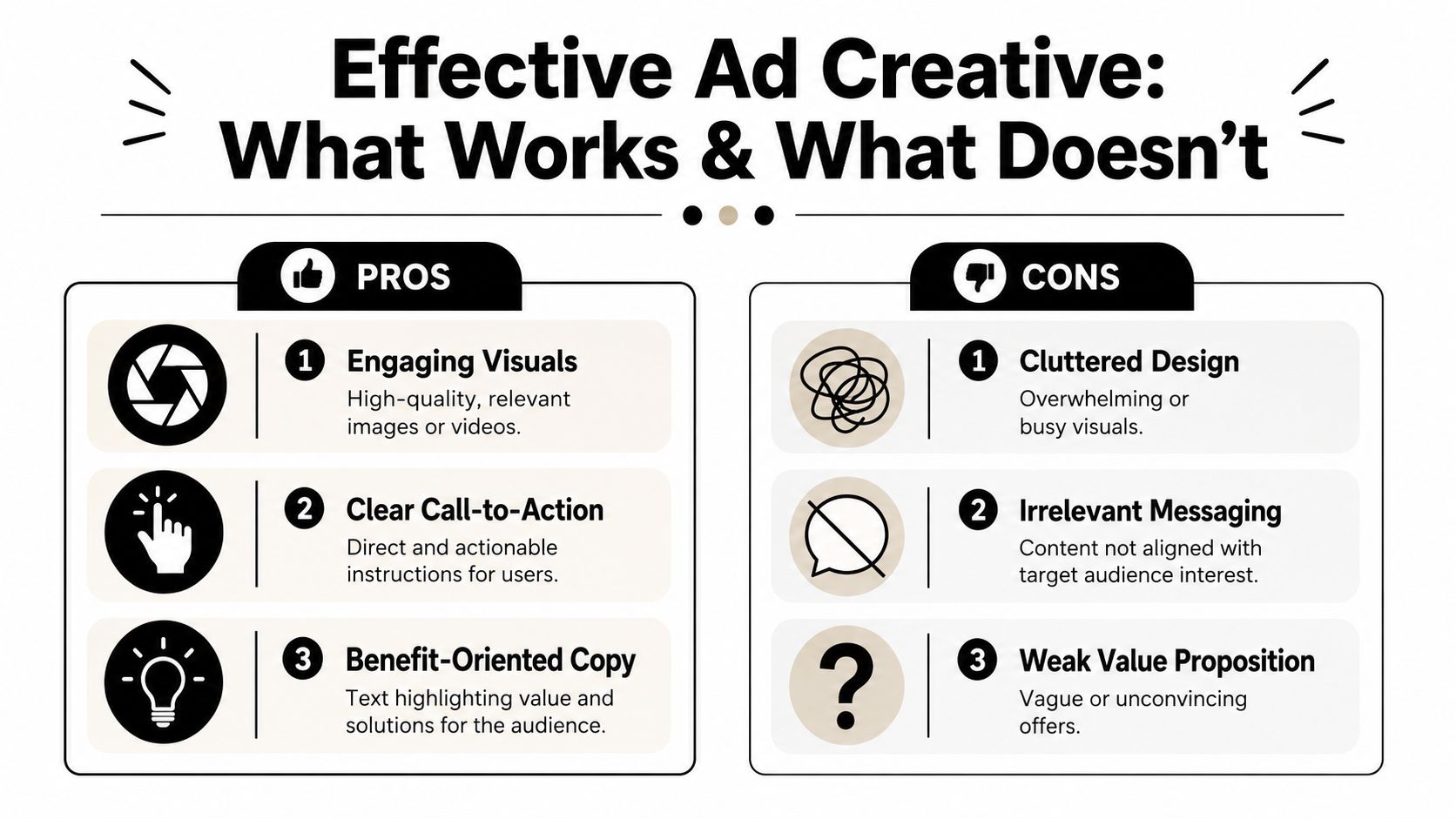
Creative is where most first campaigns win or lose. Not because design has to be fancy, but because Instagram is crowded and mobile-first. The ad has to earn a pause from someone who didn't ask to see it.
Data cited by Sprout Social shows that 53% of all Instagram ad placements ran on Reels in Q4 2025, and placement benchmarks differ meaningfully, with average CPC around $3.35 for feed ads versus about $1.83 for Story ads. Feed and Story click-through ranges also differ, which is why one asset rarely performs equally well everywhere. See the placement breakdown in Sprout Social's Instagram stats roundup.
Choose the placement before you choose the asset
A founder will often ask, “Should I make one ad and let Meta place it everywhere?” You can, but that doesn't mean you should.
Think in placement terms:
- Reels: Best when you have motion, demonstration, or UGC-style footage that feels native to scrolling.
- Stories: Strong for quick, vertical, direct-response creative with simple text and a fast call to action.
- Feed: Better when the product needs a bit more visual detail or a cleaner branded presentation.
That doesn't mean you need a huge production setup. It means the same message should be adapted to the place where it appears.
Here's a practical walkthrough worth watching before you draft your first assets:
Build the first three seconds on purpose
Most weak ads don't have a targeting problem first. They have an opening problem.
The opening frame should do one of these jobs immediately:
-
Call out a problem
Example structure: “Still dealing with…” This works when the buyer already feels the pain.
-
Show the product in action
Great for ecommerce products that are visually self-explanatory. The demonstration does the selling faster than copy.
-
Create contrast
Before and after. Messy and clean. Slow and fast. Painful and easy. Contrast makes the scroll stop.
-
Lead with a specific promise
Not hype. Specific usefulness. Buyers respond when the claim maps cleanly to the product.
Open with the buyer's tension, not your brand introduction.
Many founders make a key mistake. They spend the first seconds on logo animations, generic lifestyle footage, or a polished intro screen. That might look professional, but it often delays the actual reason someone should care.
Write copy that helps the click happen
Ad copy for Instagram doesn't need to be long. It needs to remove uncertainty.
A simple copy structure works well:
| Part | What it should do |
|---|---|
| Hook line | Get attention fast |
| Problem or desire | Make the viewer feel understood |
| Product role | Show how the product fits |
| CTA | Tell them what to do next |
For a first ad, keep it close to the product page. If your landing page says the item saves time, reduces mess, improves comfort, or simplifies a routine, your ad should amplify that same promise. Don't invent a different angle just because it sounds clever.
If you want stronger ad text ideas, study how sharper messaging improves click-through rates in paid campaigns. Higher CTR usually starts with better alignment between audience pain, opening hook, and offer framing.
Design for sound-off viewing and safe zones
A lot of people see Instagram ads with sound off. Many placements also cover parts of the screen with interface elements. That changes what “good design” means.
Your creative should survive these constraints:
- Captions matter: If the spoken line carries the pitch, add on-screen text so the ad still works when sound is off.
- Keep key text away from edges: Don't bury product benefits or the CTA where interface overlays can block them.
- Use one visual priority: Product demo, result, or person. Too many competing elements dilute the message.
- Make mobile readability paramount: If text can't be read on a phone, it isn't helping the ad.
A useful mindset is to design assets that are flexible across placements but aware of each placement's limits. That usually beats trying to make one polished ad do every job.
Launching and Optimizing Your First Campaign
Publishing the ad is the easiest click in the process. The harder part is what you do after the ad goes live and the numbers start moving.
For lower-budget testing, Meta's flow allows a minimum daily budget of around $1, and advertisers can use automated rules to pause ad sets when cost per result crosses a threshold, according to Buffer's Instagram ads guide. That matters because beginners often lose money not from one bad ad, but from waiting too long to act on a weak test.
What to do right after you publish
The first thing to understand is that early performance can look uneven. Don't rewrite everything the moment you see movement.
A steadier launch routine looks like this:
- Check delivery first: Make sure the ad is spending and serving.
- Confirm the destination works: Click through to your product page yourself. Mobile experience matters.
- Look for obvious mismatches: If the ad promises one thing and the page opens with something else, fix the message gap.
- Avoid panic edits: Every change resets the context Meta is learning from.
If you're using a very small budget, keep the test simple. Compare a few creatives, not a dozen. You want to isolate what angle earns interest, not create noise.
Your first optimization job is usually to cut confusion, not to chase tiny efficiency gains.
Simple rules for early optimization
Use decision rules before the emotions kick in. That keeps you from turning Ads Manager into a slot machine.
A clean early-stage approach:
-
Pause obvious losers
If one creative is clearly failing to attract clicks or generating weak engagement relative to the others, stop feeding it spend.
-
Keep the audience stable while testing creative
If you change the creative, audience, and budget all at once, you won't know what caused the result.
-
Promote the clearest winner
When one variation shows better traction, move more of your testing attention there. You don't need to force equality between ads just because you made them.
-
Use automation where it helps discipline
Automated rules can protect you from leaving a poor ad live too long or from forgetting to monitor a test.
The biggest mindset shift is this. A first campaign isn't a final verdict on your product. It's a feedback loop. If people don't click, the message may be off. If they click and don't buy, the page or offer may be off. If one angle works better than another, that's not random. That's the beginning of a playbook.
Accelerate Your Ads with Social Loop AI
Most beginners don't stall because they can't click through Ads Manager. They stall because they don't know what ad to make first, what angle to test second, or how to turn a product page into several believable creatives without hiring a media buyer, copywriter, and designer.
That's where an AI-assisted workflow becomes useful. Not as a magic button. As a way to reduce the slowest parts of the process.

Why beginners get stuck before launch
The bottleneck usually looks like this:
- The founder has a product page but no clear ad angle.
- They can describe the product, but not the buyer objection.
- They make one safe creative and hope targeting will fix the weakness.
- They launch without a structured testing plan.
That last point matters because creative angle increasingly acts as a targeting signal on Meta. The opening hook and message help pre-qualify who engages with the ad in the first place, which is why angle selection carries so much weight. That shift is discussed in this YouTube breakdown on ad angles and Meta delivery.
Where an AI workflow actually helps
A strong AI workflow for instagram ad create should do more than write ad copy. It should help a founder make better decisions before launch.
That means turning a product URL into usable campaign components such as:
| Workflow need | What good AI assistance should produce |
|---|---|
| Product understanding | A clear summary of the offer and likely buyer |
| Angle generation | Multiple approaches like problem-solution, UGC, identity, or urgency |
| Creative production | Ready-to-test image or video directions, hooks, and CTAs |
| Testing structure | A practical order for what to test first, pause, or repeat |
This is why tools built for first-time advertisers can be more helpful than generic text generators. A beginner usually doesn't need infinite ideas. They need a narrower set of ideas that map to a launch plan.
If you want a tool made specifically for that workflow, Social Loop AI's Instagram ads system is designed for new ecommerce founders who need ad angles, creative batches, and testing structure from a product URL instead of starting from a blank screen.
If you're tired of guessing your way through your first launch, Social Loop AI gives you a practical Meta ads workflow from product page to creative angles to test plan, so you can spend less time stuck in setup and more time launching ads that make sense.