Blog
What Is Return on Ad Spend? a 2026 Ecommerce Guide
Published May 31, 2026
Return on Ad Spend, or ROAS, is a simple ratio that shows how much revenue you earn for every dollar you spend on advertising. A common benchmark is 4:1, which means $4 in revenue for every $1 spent, though what counts as “good” depends on your margins and costs.
You've probably got a tab open right now with your first Meta or Google campaign, and you're staring at the numbers wondering what they mean. Sales came in, money went out, and now you're asking the question every new store owner asks: is this ad working, or am I just paying for expensive lessons?
That's where ROAS becomes useful. It gives you a fast way to judge ad efficiency without drowning in reports. More importantly, it helps you decide what to do next when your budget is small and every test feels personal.
Table of Contents
- The Core Concept of Return on Ad Spend
- How to Calculate ROAS with Ecommerce Examples
- ROAS vs ROI CPA and LTV A Clear Comparison
- Realistic ROAS Benchmarks for New Stores
- Making Data-Driven Decisions with ROAS
- Common ROAS Pitfalls and How to Improve Your Score
- How Social Loop AI Helps Maximize Your Ad Spend
The Core Concept of Return on Ad Spend
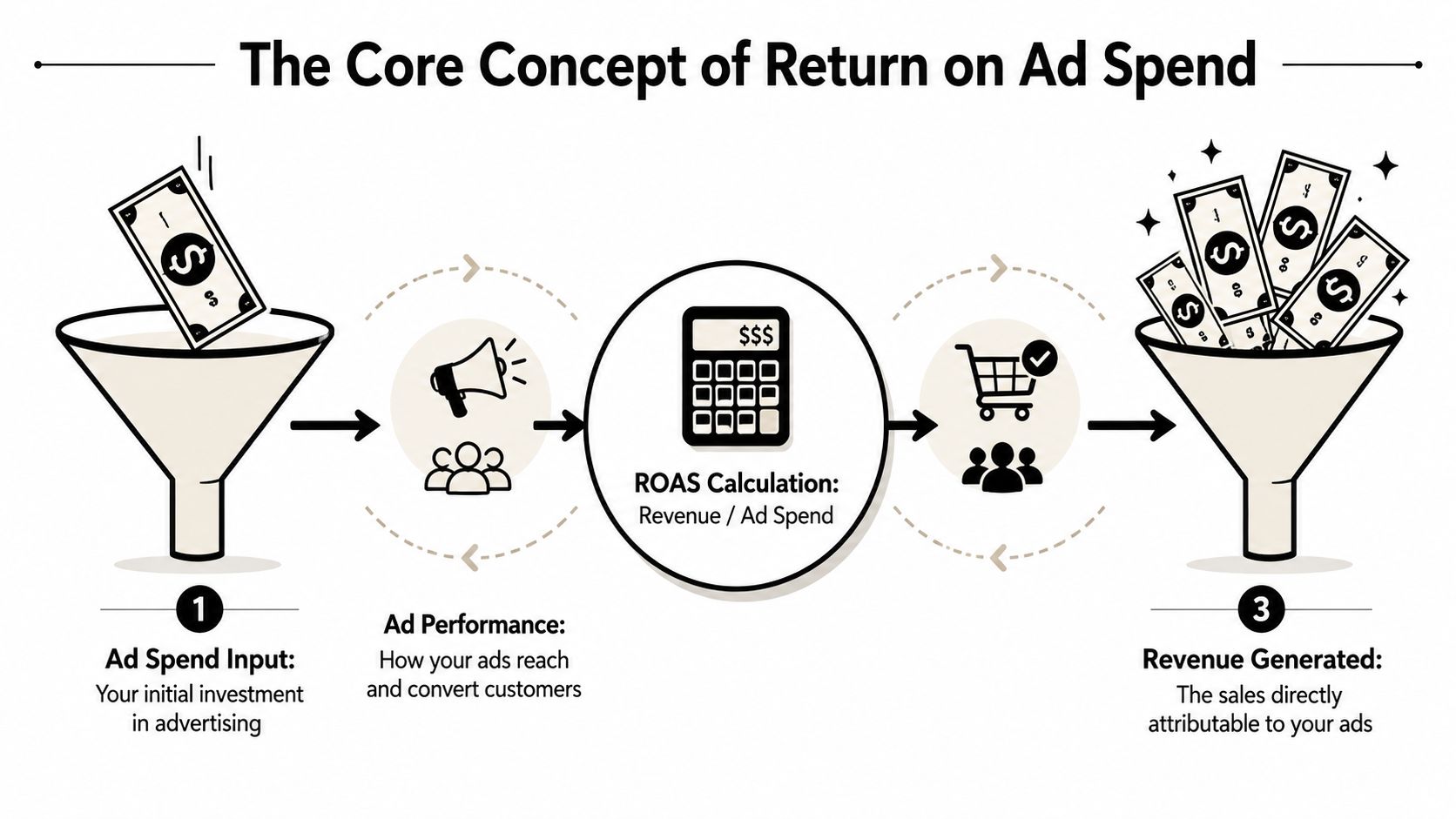
ROAS answers one narrow question: for every dollar you put into ads, how much revenue came back out?
Consider a vending machine. You put money in, press a button, and get something back. If you put $1 into the machine and get $4 worth of snacks, that's a 4:1 return. Ads work the same way. You put money into Meta Ads, Google Ads, or TikTok Ads, and ROAS tells you how much sales revenue that spend produced.
ROAS formula: Revenue from ads ÷ Cost of ads
Revenue efficiency, not business profit
Beginners often get tripped up here.
A strong ROAS doesn't automatically mean your store is profitable. ROAS measures revenue efficiency. It tells you whether the ad generated sales relative to ad cost. It does not automatically account for product cost, shipping, payment fees, fulfillment, refunds, or the time you spent building the campaign.
That's why the same ROAS can feel great for one store and disappointing for another. A store with healthy margins can stay comfortable at a lower ROAS. A store with thin margins may need a much higher one just to stay afloat. HubSpot's glossary notes that industry guides often describe 3:1 to 5:1 as a broad target range, but the true break-even point depends on gross margin, fulfillment, and other variable costs, which is why ROAS should be treated as a starting signal rather than the whole financial story (HubSpot's ROAS glossary).
Why store owners rely on it
ROAS is popular because it's simple. You don't need a finance degree to use it.
A new store owner can look at two campaigns and quickly ask:
- Which ad brings back more revenue
- Which audience wastes less spend
- Which product deserves more budget
- Which campaign should be cut before it burns more cash
ROAS is best used like a dashboard light. It doesn't tell you everything under the hood, but it tells you when to pay attention.
If you've been searching for what is return on ad spend, the shortest useful answer is this: it's the number that helps you judge whether your ad dollars are pulling their weight.
How to Calculate ROAS with Ecommerce Examples
You spend $100 on ads before lunch. By dinner, your store has made $300 in sales from that campaign. The first question is simple. Did those ads earn enough back to deserve more budget tomorrow?
ROAS helps you answer that fast.
The formula is:
ROAS = Revenue attributed to ads ÷ Ad spend
If an ad brings in $300 and costs $100, the math looks like this:
$300 ÷ $100 = 3.0 ROAS
You can say that as 3:1. For every $1 you put in, you got $3 in revenue out.
A vending machine works like a useful comparison here. You load money in, and you watch what comes back. ROAS does the same job for your ads. It gives you a quick read on whether the machine is paying out enough to keep feeding it.
Example one with a lower priced product
Say you sell a low-cost impulse item on Shopify. You test one ad set with a small budget.
- Ad spend: $100
- Revenue from that ad: $300
Here's the calculation:
$300 ÷ $100 = 3:1 ROAS
That result means the campaign returned three times your ad spend in revenue.
For a new store owner, that number is useful because it turns a fuzzy dashboard into a decision. If your margins are healthy, a 3:1 ROAS might be good enough to keep running while you test a better creative or product page. If your margins are tight, 3:1 might only be average. The number itself is simple. The decision depends on your store economics.
Example two with a bigger campaign
Now scale the same idea up.
A campaign spends $1,000 and generates $5,000 in attributed sales.
The math stays exactly the same:
- Ad spend: $1,000
- Revenue from ads: $5,000
- ROAS: $5,000 ÷ $1,000 = 5:1
You can also spend $5,000 and make $25,000 and still have a 5:1 ROAS.
That matters because ROAS is a ratio. Spending more money does not improve ROAS by itself. A larger budget only helps if revenue grows faster than spend, or at least keeps pace.
A quick way to read the number
New advertisers often freeze when they see ROAS written as a decimal, ratio, or percentage. They all point to the same idea.
- 2.0 ROAS = you made $2 for every $1 spent
- 3.0 ROAS = you made $3 for every $1 spent
- 5.0 ROAS = you made $5 for every $1 spent
If your ad platform shows decimals and another report shows ratios, do not let that throw you off. The decision is still the same. Which campaign returns more revenue for each dollar spent?
If you want a wider view of how ROAS fits beside click-through rate, CPA, and other reporting signals, this guide to ad performance metrics helps connect the pieces.
What beginners usually confuse
A few mistakes show up all the time, especially in small stores where every ad dollar matters.
- Using profit instead of revenue in the formula. ROAS uses revenue only.
- Picking the ad with the biggest sales total. A campaign can produce more sales and still be less efficient if it needed much more spend.
- Judging too early. A campaign with little spend and one sale can show a huge ROAS for a moment. That does not always mean it is ready to scale.
- Ignoring attribution rules. Your platform decides which sales count as ad-driven, so make sure you know what revenue is being included.
Here is the practical way to use the metric. If one ad has stronger ROAS after enough spend to be meaningful, it deserves more attention. If another ad keeps spending without producing enough revenue, pause it and test a new angle, audience, or offer.
That is why learning the formula matters. ROAS is not just a number to report. It helps you decide when to scale, when to stop wasting money, and what to test next.
ROAS vs ROI CPA and LTV A Clear Comparison
ROAS gets mixed up with other marketing acronyms all the time. That confusion causes bad decisions. You end up scaling a campaign because the ROAS looks strong, even though profit is weak. Or you kill a campaign too early because CPA looks high, even though those customers may be valuable over time.
A cleaner way to think about it is this: each metric has a different job.
One metric, four different jobs
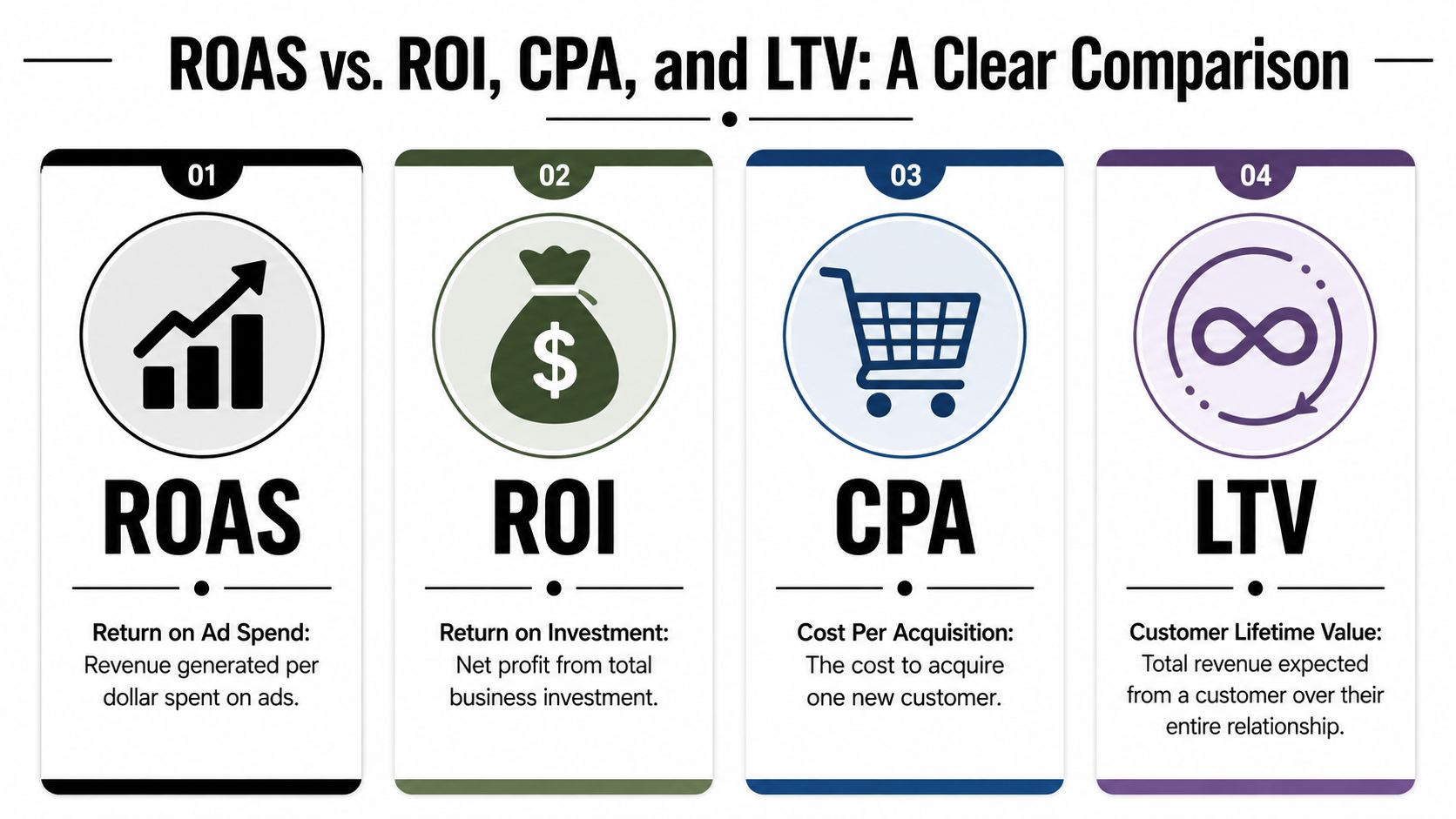
ROAS looks at ad revenue efficiency. It asks, “How much revenue did this ad spend generate?”
ROI looks at broader profitability. It asks, “After all the investment and costs, was this worth it?”
CPA focuses on acquisition cost. It asks, “How much did I pay to get one customer or conversion?”
LTV looks forward. It asks, “How much revenue is one customer likely to produce over the full relationship?”
If you want a broader picture of how these fit into ad analysis, this overview of ad performance metrics is a useful companion.
Here's a short video that helps make the terms more concrete:
A simple side by side view
| Metric | What It Measures | Question It Answers |
|---|---|---|
| ROAS | Revenue generated per dollar spent on ads | Is this campaign efficient at producing sales revenue? |
| ROI | Overall return from total investment | Did this effort produce real profit after costs? |
| CPA | Cost to acquire one customer or conversion | Am I paying a reasonable amount to get a buyer? |
| LTV | Expected revenue from a customer over time | How valuable is this customer beyond the first order? |
Which one should a new store owner watch first
For a new ecommerce owner, ROAS is often the easiest first metric because it helps you compare campaigns quickly. It's especially useful when you're testing products, hooks, audiences, and ad creatives.
But ROAS shouldn't work alone.
- Use ROAS when you want to compare ad efficiency.
- Use CPA when your product price is stable and you want to know what a customer costs.
- Use ROI when you're checking if the business makes financial sense overall.
- Use LTV when repeat purchases matter and a weak first order can still lead to a good customer.
A campaign can have a healthy ROAS and still be a bad business decision if the rest of the economics don't work.
That's why experienced operators don't ask which metric is best. They ask which metric answers the decision in front of them.
Realistic ROAS Benchmarks for New Stores
You launch your first campaign, spend $50, and wake up to $120 in sales. That feels promising. Then the question hits. Is that result good enough to keep spending, or are you just buying revenue too expensively?
That is why benchmark talk can be helpful and misleading at the same time.
The benchmark new founders usually hear first
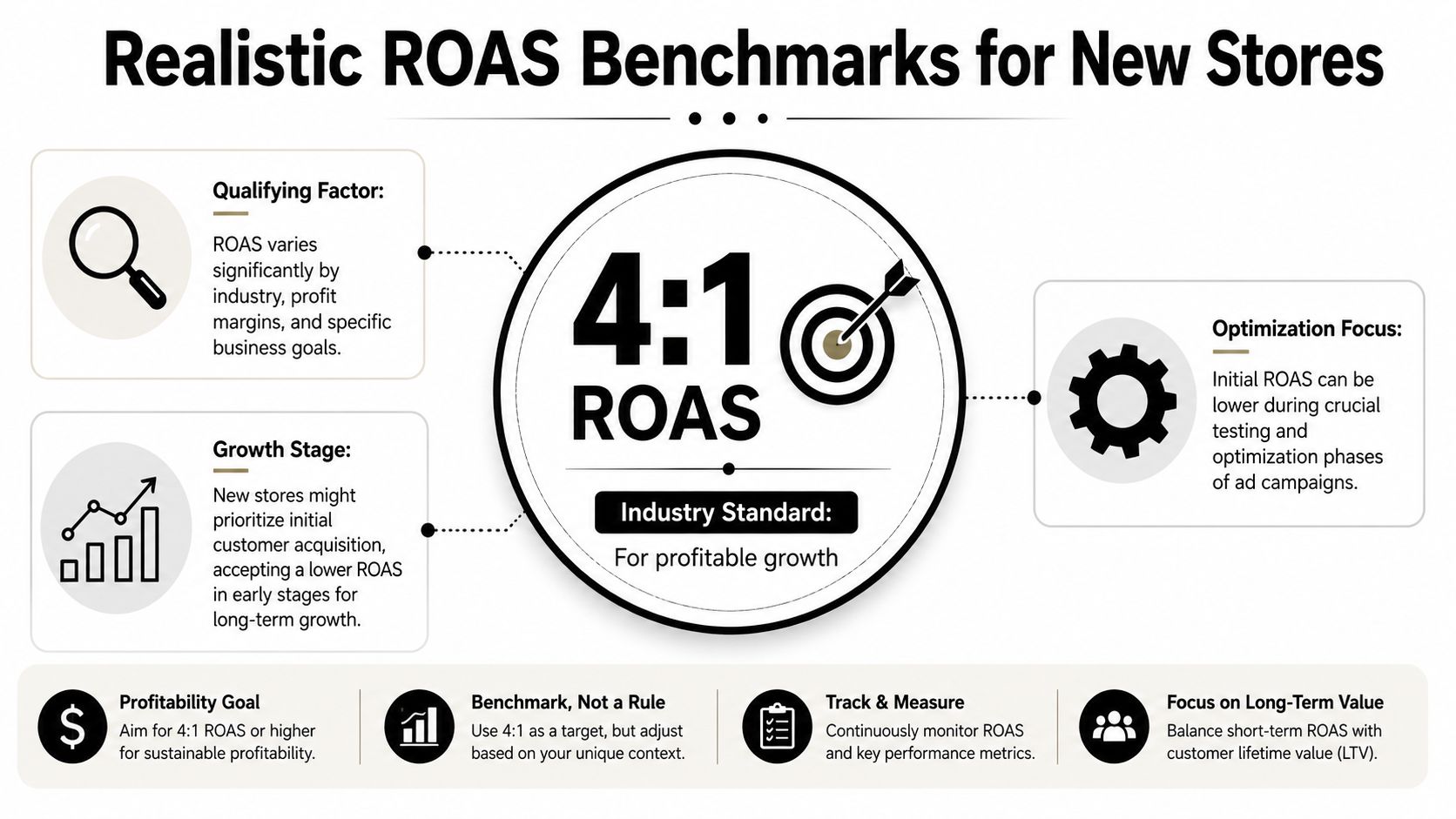
A common benchmark in industry guides is 4:1 ROAS, or $4 in revenue for every $1 spent on ads.
That number is useful as a starting reference. It gives you a rough standard so you do not mistake any positive return for a healthy campaign. Industry writeups also often describe a broader target range rather than one magic number, which is a better way to read benchmarks anyway.
For a new store, the safer question is not, “Is 4:1 good?” It is, “What does my store need before ads make sense?”
Why your own threshold matters more
ROAS works like a vending machine test. If you put in $1 and get $4 back, that sounds great. But if the snack inside cost you $3 to stock and ship, your machine is not nearly as profitable as the headline number suggests.
That is why new store owners should care about break-even ROAS. This is the minimum ROAS your campaign needs before you stop losing money on the sale itself.
A simple estimate is:
Break-even ROAS = 1 ÷ product margin
If “margin” still feels fuzzy, use the plain-English version. The less money you keep after product cost, packaging, payment fees, and delivery-related costs, the harder your ads need to work.
Here is the practical way to use that idea:
- Use 4:1 as a reference point, not a rule.
- Calculate your own floor based on margin.
- Review ads against your floor first, then use public benchmarks for context.
- Make a decision from the number. Above your floor may mean keep testing. Far above it may justify a careful budget increase. Below it usually means pause the ad or change something specific.
For a small-budget store, ROAS becomes particularly useful. You are not chasing a brag-worthy number. You are deciding what to scale, what to cut, and what to test next.
If you want a clearer process for turning performance numbers into weekly ad decisions, this guide to data-driven marketing for ecommerce teams is a helpful companion.
If a campaign sits below your break-even line, it is not just “under benchmark.” It is charging you tuition. The lesson might be your creative, your offer, your traffic quality, or your product page. Your job is to identify which one and fix that next.
Making Data-Driven Decisions with ROAS
Once you know your rough break-even point, ROAS stops being a vanity metric and starts becoming a decision tool. You're no longer staring at a dashboard hoping for clarity. You're using a number to choose the next move.
If you're building a repeatable process for ad reviews, this guide to data-driven marketing pairs well with a ROAS-based workflow.
When to scale
If a campaign is comfortably above your break-even level, that's usually a signal to keep feeding it carefully.
Don't jump from cautious testing to reckless spending. Increase budget in a controlled way, watch whether efficiency holds, and make sure the campaign keeps producing revenue after the increase. A strong ROAS at a tiny spend level is promising, but your job is to see whether it stays healthy as you ask the campaign to do more work.
Good questions to ask before scaling:
- Is the result consistent: Has performance held for more than a brief spike?
- Is the store ready: Can your landing page, fulfillment, and support handle more orders?
- Is the campaign clean: Are you seeing real purchases, not just clicks or add-to-carts?
When to optimize
Sometimes a campaign isn't bad. It's just not ready to scale.
If ROAS sits around your break-even zone or slightly above it, this is usually an optimization problem, not an automatic shutdown. The ad may need a better first line, a stronger product image, a tighter audience, or a cleaner product page.
Practical rule: Don't scale a barely acceptable campaign just because it isn't losing money. Make it stronger first.
This middle zone is where beginners often panic. They either kill the ad too fast or raise the budget because they're excited to see sales. Both moves can waste useful learning.
When to pause
If ROAS is below what your store needs to sustain itself, stop treating the campaign like a future winner that just needs more time. Pause it, inspect it, and diagnose the weak point.
That doesn't mean the product is dead. It means the current version of the offer, creative, audience, or page isn't doing enough.
A simple decision tree looks like this:
- Above your required ROAS: test budget increases.
- Near your required ROAS: improve the ad or page before scaling.
- Below your required ROAS: pause and investigate before spending more.
What to test next
When you do pause an ad, don't restart at random. Pick one variable.
Try one of these next:
- A different hook: speak to a different customer pain point.
- A new angle: switch from product features to problem-solution framing.
- A stronger landing page message: match the ad promise more closely.
- A cleaner audience: remove broad or mismatched targeting.
That's how ROAS builds confidence. It tells you whether to scale, fix, or stop.
Common ROAS Pitfalls and How to Improve Your Score
Low ROAS usually isn't caused by one mysterious platform problem. It usually comes from one of three buckets: the ad didn't grab the right person, the wrong person saw it, or the product page didn't close the sale.
There's also one budgeting mistake that inadvertently distorts the whole picture. Goodway Group recommends calculating ROAS using all campaign-linked costs, not just media spend, including items like bid-management tools, labor, creative production, and landing-page design, because leaving those out can materially overstate performance (Goodway Group on true ROAS costing).
If you're improving paid social campaigns specifically, these Meta ads best practices can help you tighten execution.
Creative problems
A weak ad can burn money even if the product is solid.
- Refresh the opening: The first line and first visual have to stop the scroll. If the ad looks like every other template in the feed, people skip it.
- Change the angle: Don't keep repeating the same message. Test problem-solution, social proof, identity, or urgency-based framing.
- Match the customer's awareness level: Cold audiences often need clarity before persuasion. Warm audiences may respond better to proof and objections being handled directly.
Audience problems
Sometimes the ad is fine, but it's reaching people who were never likely to buy.
One fix is to tighten the audience around a clearer buyer type. Another is to separate warm traffic from cold traffic so you're not blending very different behaviors into one result. You can also rewrite the creative so it naturally filters out low-intent clicks by being more specific about who the product is for.
If lots of people click and very few buy, the problem may be audience fit, message fit, or both.
Landing page problems
An ad can do its job and still get blamed for a weak page.
Look at the path after the click:
- Headline match: Does the page continue the promise made in the ad?
- Trust signals: Are reviews, guarantees, shipping details, and product clarity easy to find?
- Purchase friction: Is the page cluttered, confusing, or slow to understand?
Many new store owners try to fix a low ROAS inside the ad account when the underlying issue sits on the product page. If the page creates doubt, better traffic won't save it.
The most expensive misunderstanding
A dashboard can make a campaign look healthier than it really is if you only count ad platform spend. Once you add creative work, tools, and your operating effort, the actual return can look very different.
That's why improving ROAS isn't only about getting more revenue. Sometimes it's also about seeing costs clearly.
How Social Loop AI Helps Maximize Your Ad Spend
For a first-time store owner, the hard part usually isn't understanding the ROAS formula. It's knowing what to change when the number is weak.
That's where tools can help. Some merchants use ad platform dashboards, Shopify reports, and manual creative testing. Others use guided systems that turn product information into launch plans, audience ideas, creative variations, and landing-page fixes.

Social Loop AI is one option built for beginners. It takes a product URL and helps map out a Meta ads launch plan, generates brand-aware creative concepts, builds a buyer profile, and scores landing-page readiness so you can spot problems before spending more.
That lines up directly with the levers that usually improve ROAS:
- Creative support: better hooks, angles, and ad variations
- Audience support: clearer buyer profiles and message fit
- Landing-page support: page scoring and copy fixes that reduce friction
It also fits the way small-budget founders work. You test, review results, then decide whether to scale, pause, or retest based on what happened. That kind of feedback loop matters more than chasing one “perfect” ad.
If you've been trying to answer what is return on ad spend in a practical way, this is the part that matters most: ROAS becomes useful when it changes your next action.
If you want help turning a product page into a budget-aware ad plan, creative batch, and clearer testing workflow, take a look at Social Loop AI. It's designed for new ecommerce owners who need a simpler way to launch, review, and improve ads without hiring an agency.